The A.L.F.R.E.D. Unit: Custom Assistant and Info Portal
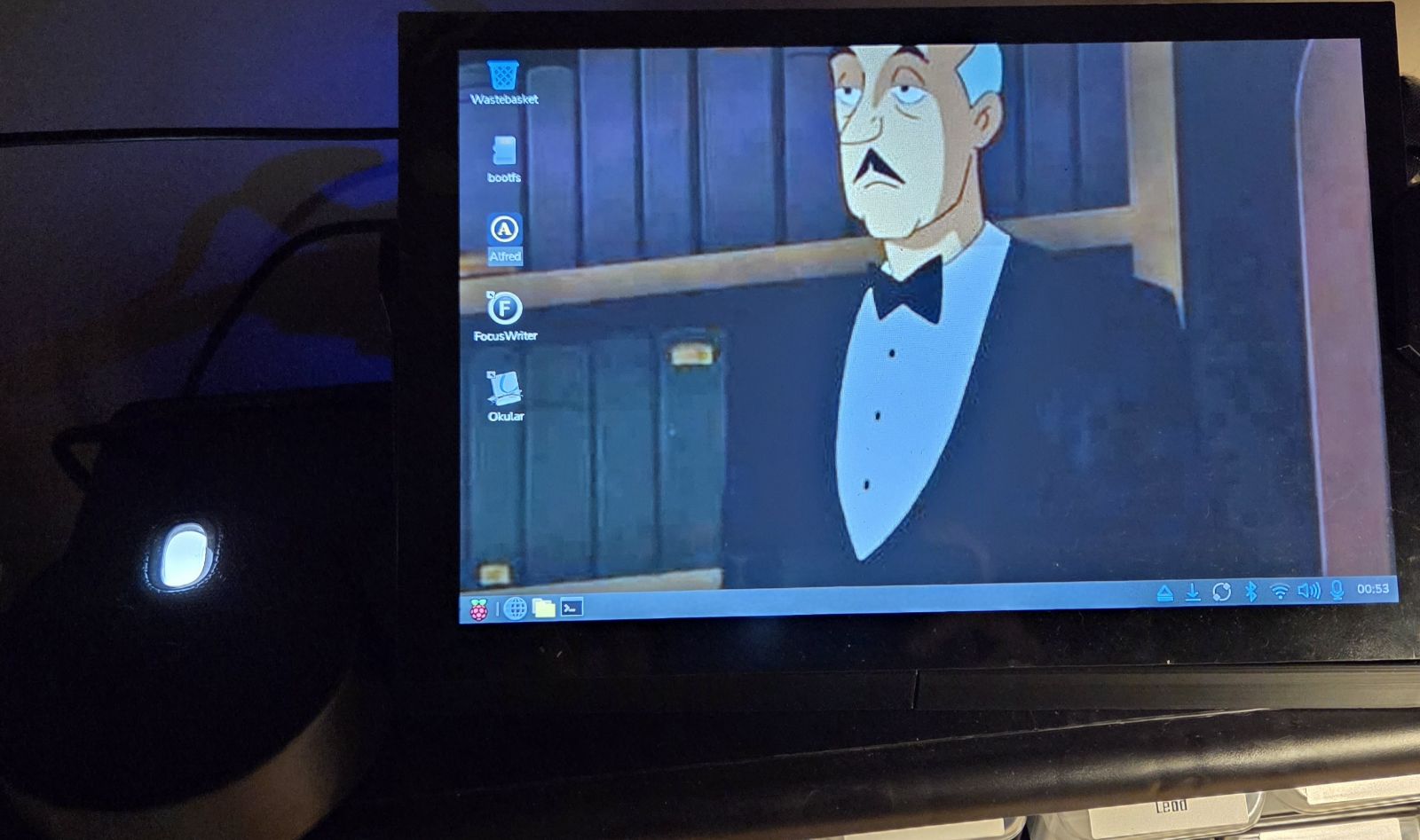
The Idea
A.L.F.R.E.D. stands for "Autonomous Local Feed Relay and Environmental Dashboard", a device that aggregates from and communicates to many applications that normally consume my day. Instead of a morning news crawl, Alfred returns a curated list of my selected news sources and summarizes the latest developments for me. Instead of checking my calendar, reminders, and to-do apps, Alfred builds upcoming events and overdue tasks into my briefing, along with entertainment sources like gaming news and my Steam wishlist sales.
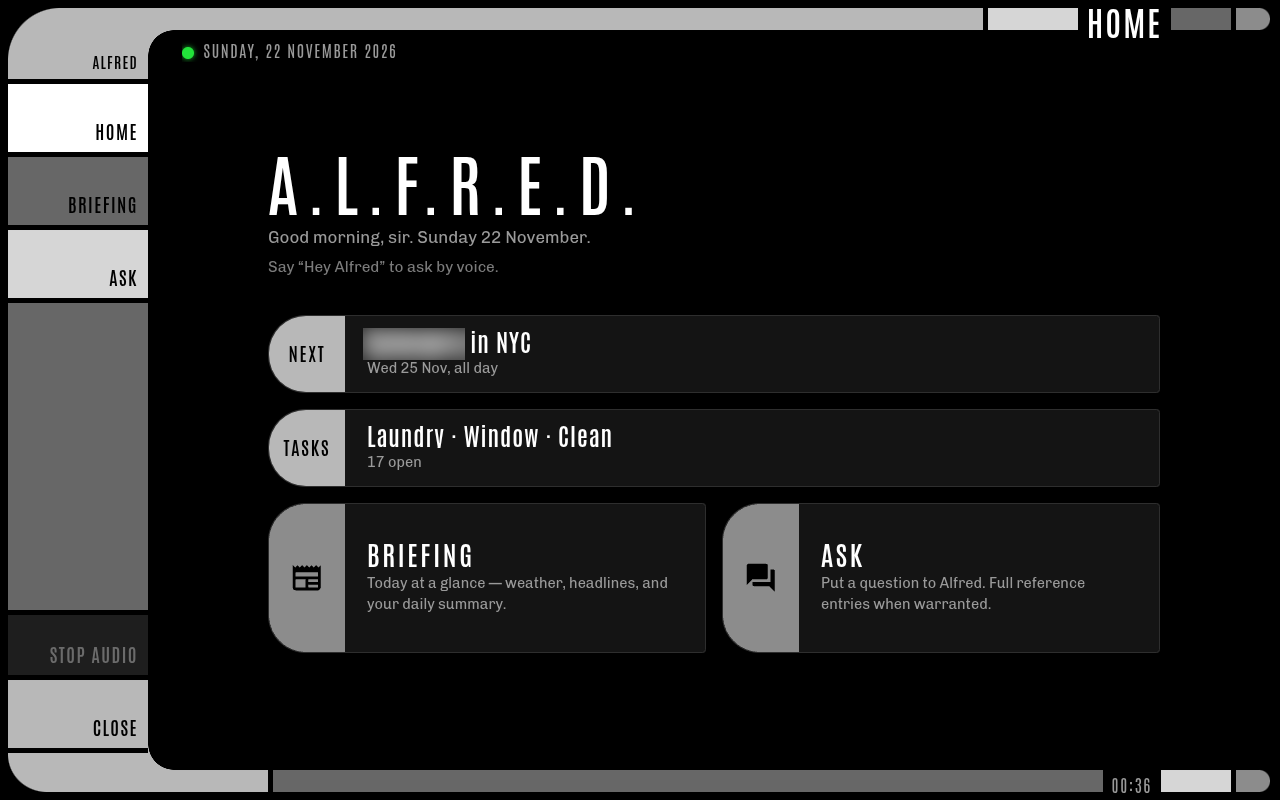
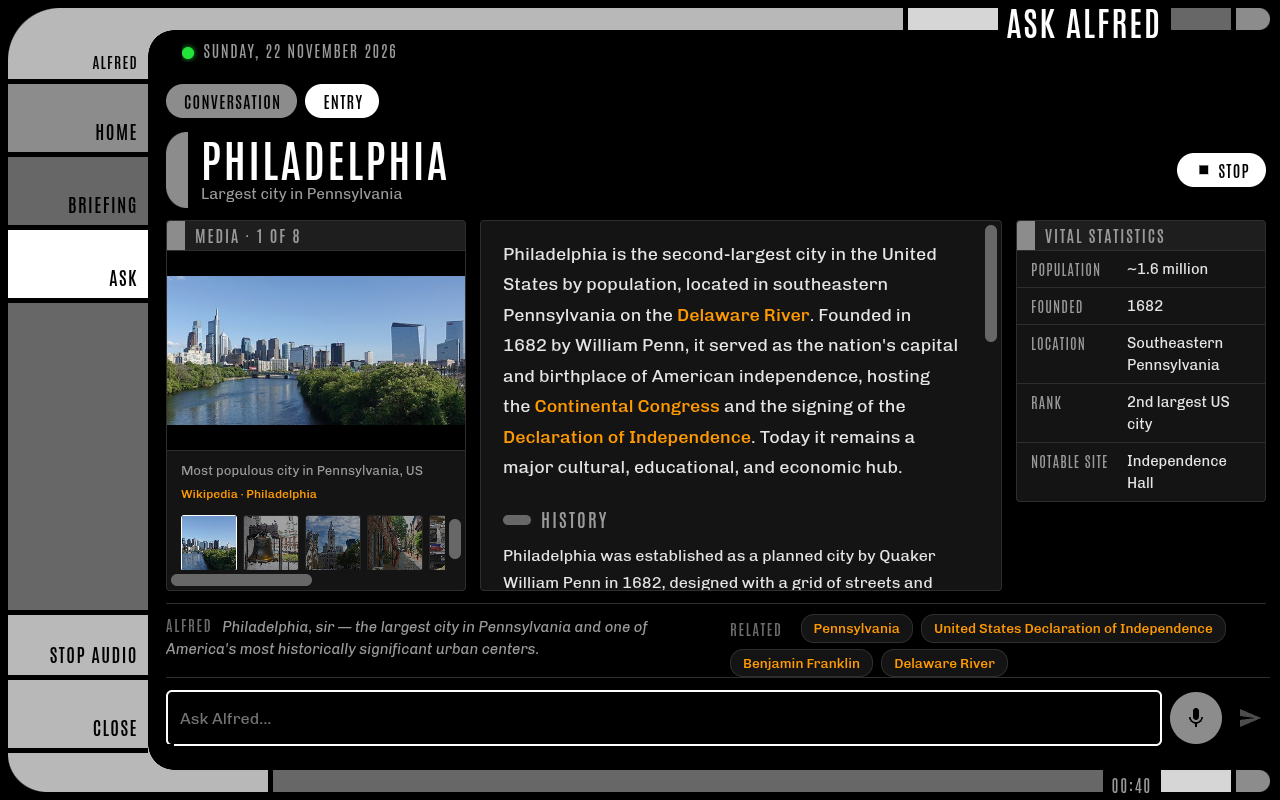
Alfred can also answer questions and perform research, even generate Encarta-esque encyclopedia entries about a requested topic (all wrapped in a grayscale LCARS theme, just for fun!). The attached speaker/mic combo also doubles as a voice assistant with a custom trained "Hey Alfred" wake word, and can perform most tasks via voice command, including Home Assistant control and cross-device note creation.
He doesn't have much of a personality, and his voice is probably best described as "morose", but he has proven to be a useful addition to my daily routine.
The Reality
- ~$550 in hardware
- ~30 days from start to finish, with more changes added over time
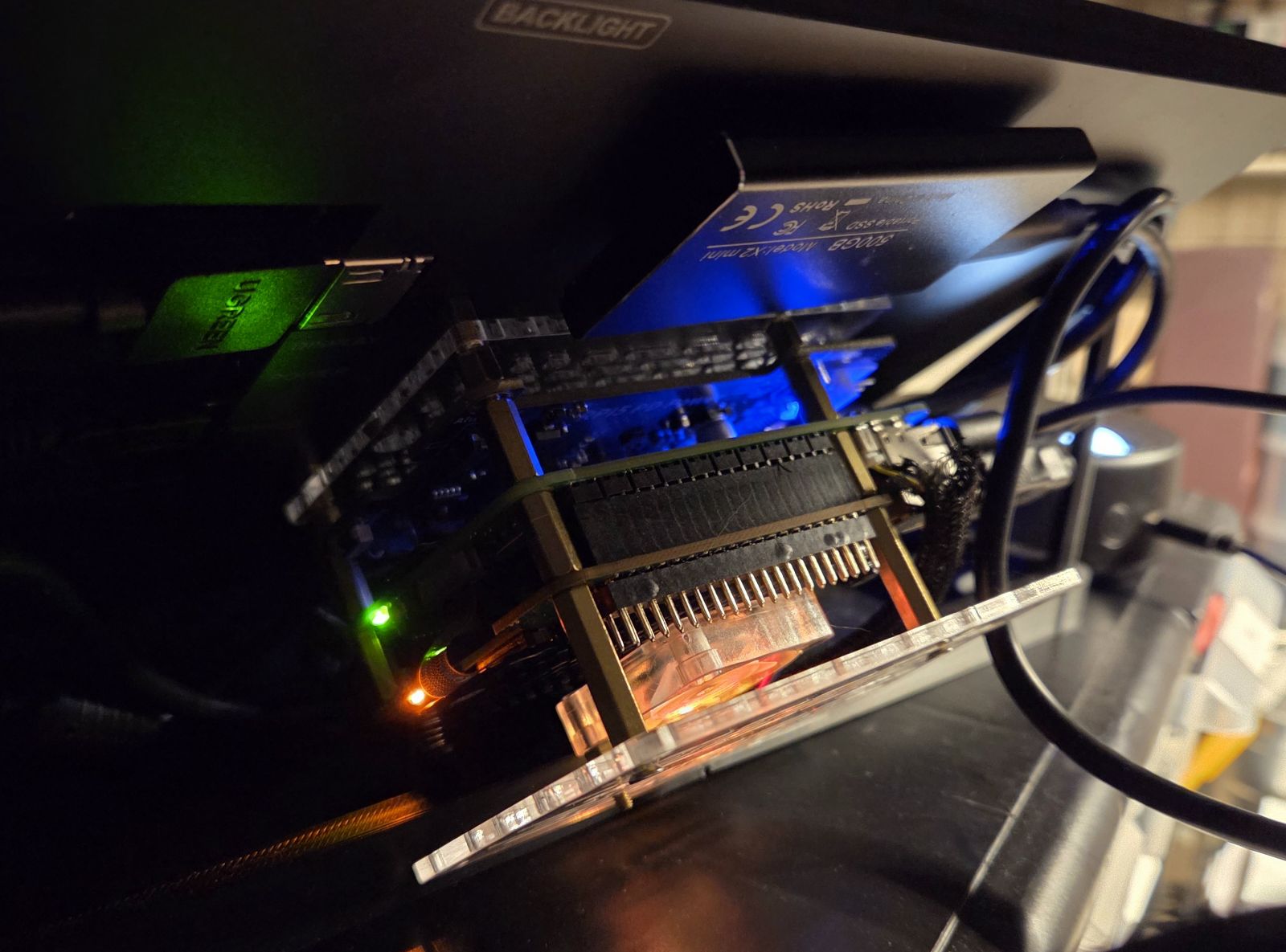
The initial idea was for a "completely local AI assistant and dashboard" using the Pi and a Hailo HAT made specifically for LLM usage and other high performance tasks. Unfortunately, the models and hardware were not up to the task, and lots of problems arose trying to make a local model do everything that Alfred currently does (more info in the Hailo section below). The solution was to make Claude the brain of the operation, and use Hailo just for speech-to-text, and as a fallback if Claude is unavailable. Essentially, every request goes to Claude (which has tool access), and only if Claude can't be reached does the local model (which has no tool access) answer instead. The output from either agent ends up populating the UI for whatever feature is being used (briefing, ask, etc.).
The end result is actually a fairly useful device, though the touchscreen's responsiveness isn't great compared to an iPad or a typical phone (sometimes it takes 2 or 3 taps to register). Beyond that fairly annoying limitation, it is a very functional tablet / small Linux PC with wifi, bluetooth, and any software I want to install on it (such as the Okular comic reading app). The speaker/mic combo works extremely well for how cheap it was, and the fact that I can perform more voice actions with it than I can with my Google Nest speakers is impressive.
The software is fairly elaborate, which is a downside: it has a lot of moving parts to maintain. The web scraping for certain news sources is fragile, and RSS feeds can be hard to find these days, especially for aggregated sources. Getting my news sources into a format that can be parsed and summarized was a challenge compared to connecting it to Home Assistant. That being said, the connection to Home Assistant and the customizable nature of what I can do with the voice actions is probably the biggest win of all: I can interact with more devices, and have access to deeper functionality of those devices, than I ever did using Google Home / Nest speakers.
What It Does
Daily briefing
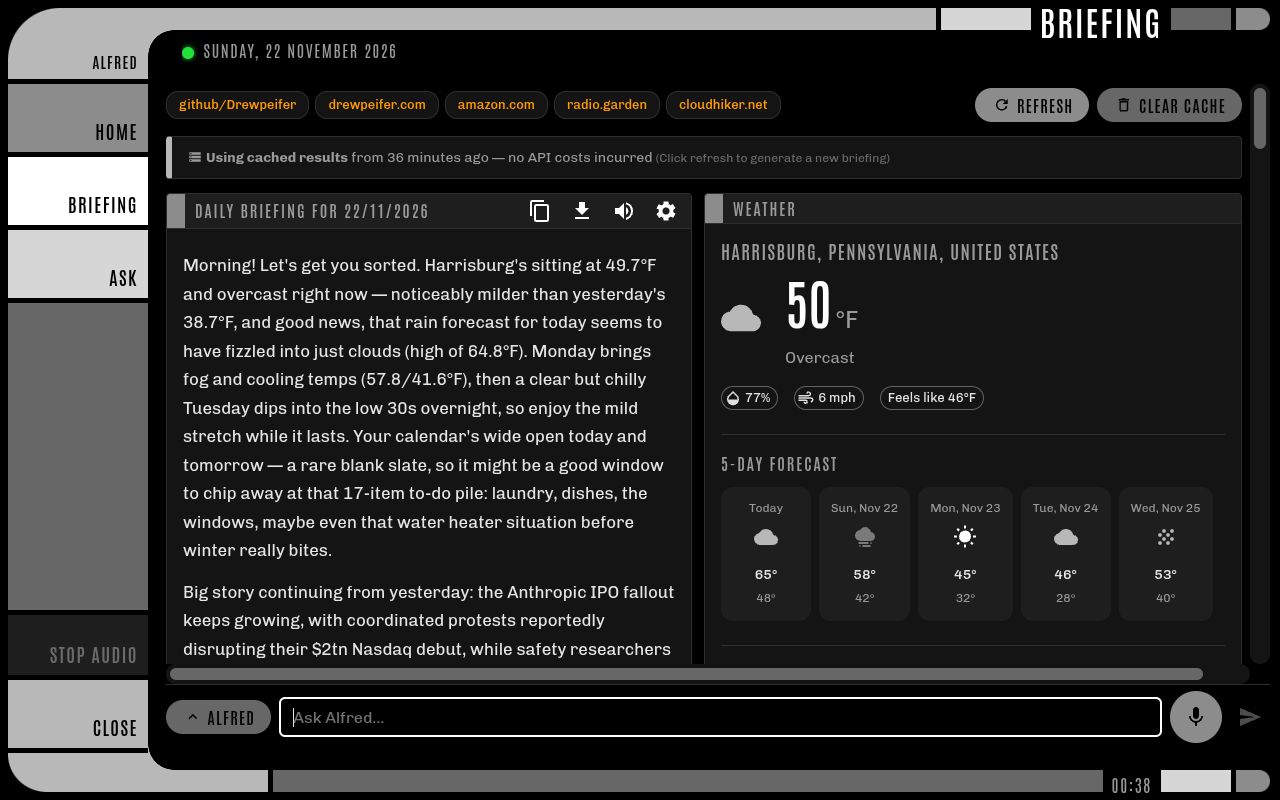
A written briefing, generated by Claude each day from a configurable set of sources and read aloud on request.
- News: RSS/XML feeds, Reddit, and plain web pages (scraped, then summarized by Claude), grouped into rows such as News or Games
- Calendar: today's schedule (tomorrow's in the evening), the forecast at each event's time, and anything added, moved or cancelled since the last briefing
- Tasks: anything overdue or due today
- Games: Steam wishlist sales and upcoming wishlisted releases
- Tuning: target length, priority topics, and per-row instructions (for example "be casual" for games)
- Continuity: compares itself with the previous briefing, so it calls out what changed instead of repeating it
- Extras: read aloud with a local text-to-speech voice, copy or download as Markdown, and the cost of each briefing shown alongside it
Ask Alfred
Questions, typed or spoken, answered in character.
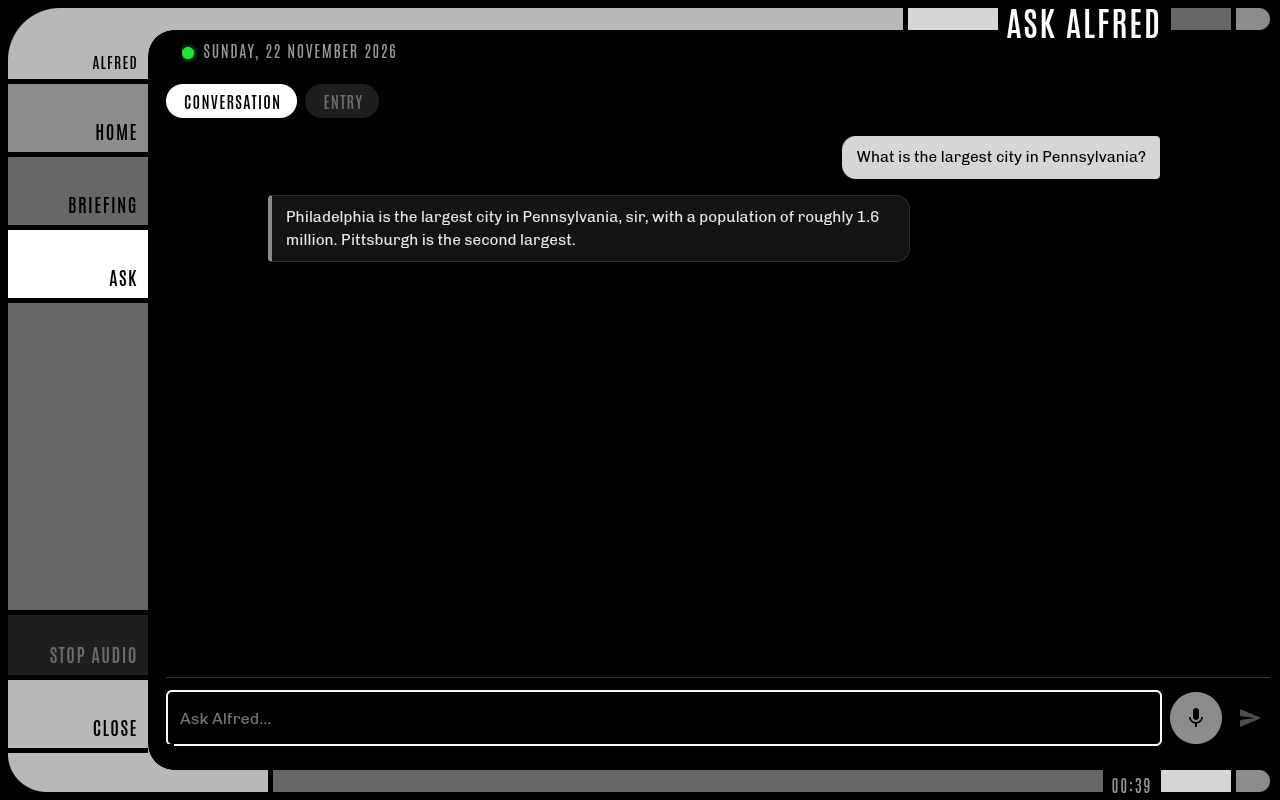
- Short replies, longer explanations, or illustrated encyclopedia-style entries
- Tools Alfred can use while answering: web search, calendar lookups beyond the coming week, searching and writing notes, managing tasks, and home control
Voice
- A wake word ("Hey Alfred"), or a tap on the mic
- A chime, then speech-to-text running on the unit's AI accelerator
- Built-in commands ("read my briefing", "stop", "go home", "note that…"); anything else is treated as a question
- A status light on every screen: listening for the wake word, recording, thinking, or unavailable
Home control
Through Home Assistant, Alfred can check on and control the house:
- "Turn off the living room lights", "dim the office to 30 percent", "run the bedtime routine", "set the heater to 70", "tell everyone dinner's ready", "are the cameras online?"
- He acts right away and reports what actually happened, read back from the device's state afterwards
- What he can reach is set in Home Assistant with two labels: one for devices he may control, and one for devices he may only report on (the cameras)
- Anything without the control label is refused, whatever was asked
Notes
Notes live in an Obsidian vault that syncs to other devices.
- "Note that…" or "remember to…" saves a dated note
- Named notes can be created, added to, or rewritten by voice; rewrites are previewed and only applied once confirmed, and earlier versions are kept
- Alfred can only change his own notes folder, but can search the whole vault ("what did I note about the furnace?")
Home screen and screensaver
- The next calendar event with a countdown, and today's tasks
- After a few idle minutes, a rotating screensaver: clock, weather, next event, a headline, and the desktop wallpaper
- Weather with charts, quick links, and a grayscale LCARS-inspired theme throughout

How It Works
A spoken request, start to finish
- Wake word: an always-on listener on the unit hears "Hey Alfred" and plays a chime
- Speech-to-text: Whisper transcribes the request on the AI accelerator, so audio never leaves the device
- Routing: built-in commands are handled straight away; anything else goes to the ask pipeline
- Thinking: Claude answers in character, calling tools (Home Assistant, calendar, notes, tasks, web search) as it needs them
- Speaking: Piper reads the reply aloud, also on the device
Services
| Service | What it does |
|---|---|
| React app (Vite) | The kiosk interface: home, briefing and ask pages, screensaver |
| Express proxy | Claude calls, web scraping, calendar, notes vault, tasks, Steam and Home Assistant; keeps every key and token out of the browser |
| Piper | Local text-to-speech |
| Whisper | Local speech-to-text on the AI accelerator |
| openWakeWord | Local wake-word detection, with a custom-trained "Hey Alfred" model |
A desktop shortcut starts all five and opens Chromium in kiosk mode; an on-screen button shuts everything down.
Training the "Hey Alfred" wake word
openWakeWord ships with a handful of ready-made wake words, but "Hey Alfred" isn't one of them, and nobody had published a model for it. Alfred answered to "Hey Jarvis" at first while a custom model was trained.
- Where: Google Colab, on a free T4 GPU, using a community-maintained training notebook (openWakeWord's official notebook no longer runs on current Colab). It took about two and a half hours.
- How: the notebook never needs a real recording. It generates synthetic "hey alfred" clips with a range of text-to-speech voices, mixes them with background noise, music and room echo, and trains the model to tell them apart from large sets of ordinary speech and audio.
- Result: a single
.onnxfile under 1 MB. Swapping wake words means dropping in the file and changing one setting. - Tuning: a detection threshold trades false triggers (TV, music, conversation) against missed wakes, and every detection is logged with its score to make tuning easy.
- Download: the trained model is free to use: hey_alfred.onnx (772 KB). Load it with openWakeWord using
Model(wakeword_models=["hey_alfred.onnx"]).
The Hailo AI HAT
The AI HAT+ 2 (a Hailo-10H accelerator) does two jobs:
- Speech-to-text: every spoken request is transcribed by Whisper on the HAT, so audio never leaves the unit
- Offline fallback: if Claude can't be reached, a small local model (Qwen 2.5, 1.5B parameters) answers instead. It can chat, but it can't use tools, so no home control, notes or tasks while offline
Getting there took some work:
- A small model needs blunt instructions. Subtle persona instructions were ignored. "Every reply contains the word sir" worked where "address the user as sir" didn't. Without a rule that its name is Alfred, it introduced itself as "Sir". Asked the time, it made one up however firmly it was told it couldn't know, so the real time now goes in with every request.
- One good reply proves nothing. The local model's output varies from run to run, so prompt changes were tested with a script that asks each question several times and scores the answers.
- The software has limits. The Hailo build of Ollama can't bake a persona into a custom model, and it fails on structured output, so the persona is sent with every request and the fallback can't call tools. The first request also takes about ten seconds while the model loads.
- The HAT is shared. Whisper and the fallback model take turns on the accelerator: Whisper loads when you speak and hands the HAT back after two idle minutes.
In the end Claude handles everything that matters, and the HAT keeps voice local and covers the occasional outage.
What stays on the device
- The wake word, speech-to-text and text-to-speech all run locally; no audio is stored or sent anywhere
- Sent to Claude: briefing source material, calendar events, tasks, and any notes that match a question
- If the internet is down, a small local language model on the AI accelerator answers instead
Hardware
| Part | Role |
|---|---|
| Raspberry Pi 5 (8GB) | Runs the interface, proxy and voice services |
| Raspberry Pi AI HAT+ 2 (Hailo-10H) | Speech-to-text and the offline fallback model |
| Waveshare 10.1" DSI LCD (C) touchscreen (1280×800) | The kiosk screen |
| Speaker with built-in microphone, connected directly over USB | Voice in and out |
| 52Pi/GeeekPi EP-0225 PD power board | Sits between the power bank and the Pi and regulates voltage: takes USB-C PD (15V) or 9–24V DC in and delivers a steady 5V/5A to the Pi, so different power sources can be used without overloading it. Also adds a power button for startup and shutdown |
| INIU 20,000mAh 45W power bank (USB-C PD) | Power |
| 3D-printed display housing (Waveshare 10.1" display holder) | Holds the screen |
Software
- Interface: React + Vite, in Chromium kiosk mode
- Backend: Node.js / Express proxy
- AI: Claude (Sonnet for the briefing, Haiku for questions and home control); a small Qwen model on the Hailo accelerator as the offline fallback
- Voice: openWakeWord, Whisper (Hailo), Piper
- Integrations: Google Calendar (read-only), Todoist (via Home Assistant), Home Assistant, Steam, Open-Meteo weather, Obsidian (synced with Syncthing)
The Post-Mortem
The way I think about it, a Pi-powered tablet is always going to be a screen with a Pi mounted to it. So, it will never be slim and sleek and easy to hold like an iPad. Given that, I intended mine to be a desktop console or wall-mounted panel, and it works well for that configuration. That being said, I think for a 2nd try I would go for a more expensive touch screen, possibly a few inches larger to give more mounting space on the back for the speaker and power source. Right now those both sit next to it on the table, and if they were mounted on the back that would make it truly portable / one-hand carry. I'm also hoping the Hailo models improve so I can try using them again, as an offline agent would be an interesting primary assistant, with a Claude fallback (instead of the other way around).
All in all, Alfred has earned a permanent spot in my ecosystem of devices, and there will likely be a 2nd iteration using the same software, if not some of the same hardware.